← All products

Parallel EQ

ParaQ

Dual-channel equaliser

Dual-channel equaliser with stereo, M/S and L/R operation modes — equipped for wide, musical bands to add flavour and character to your mixes.

  • Bands5 + Air shelf per channel
  • Frequency Range5 Hz – 100 kHz
  • ModesStereo / M-S / L-R
  • Band Amplitude-4 dB / +14 dB
  • Gain compensationkeep the output at unity gain
  • Remote ControlMIDI over USB
  • FormatAPI 500 format

Overview

ParaQ is a dual-channel equaliser in API 500 format for mastering, the mix bus and groups. It gives a mix shape and shine without upsetting its balance. Each channel has five wide, musical bands (Sub, 40 Hz, 160 Hz, 650 Hz and 2.5 kHz) and an Air shelf that is tunable from 7 kHz to 40 kHz and has its own on/off switch. The frequency range of the EQ runs from 5 Hz to 100 kHz.

Its signature feature is automatic gain compensation. When gain compensation is on, ParaQ adjusts its output as you boost or cut, so the overall level stays the same. A boost can't win you over just by being louder, and the hard bypass compares the processed and the dry signal at the same level. That makes ParaQ well suited to mastering. If you prefer the classic way of working, switch the compensation off and ParaQ behaves like a traditional EQ.

The 50% gain setting halves the range of every band to +7 dB / −3 dB. The same knob travel then covers half the gain, which makes small corrections across a whole programme easier to set.

ParaQ runs in stereo, as two independent channels (L/R) or in mid/side (M/S). In M/S you can treat the centre of a mix and its width separately, for example adding weight to kick and bass in the middle or air to the sides only. The signal path is fully analog. Via MIDI over USB and the ParaQ remote plugin, you can control ParaQ and recall its settings from your DAW.

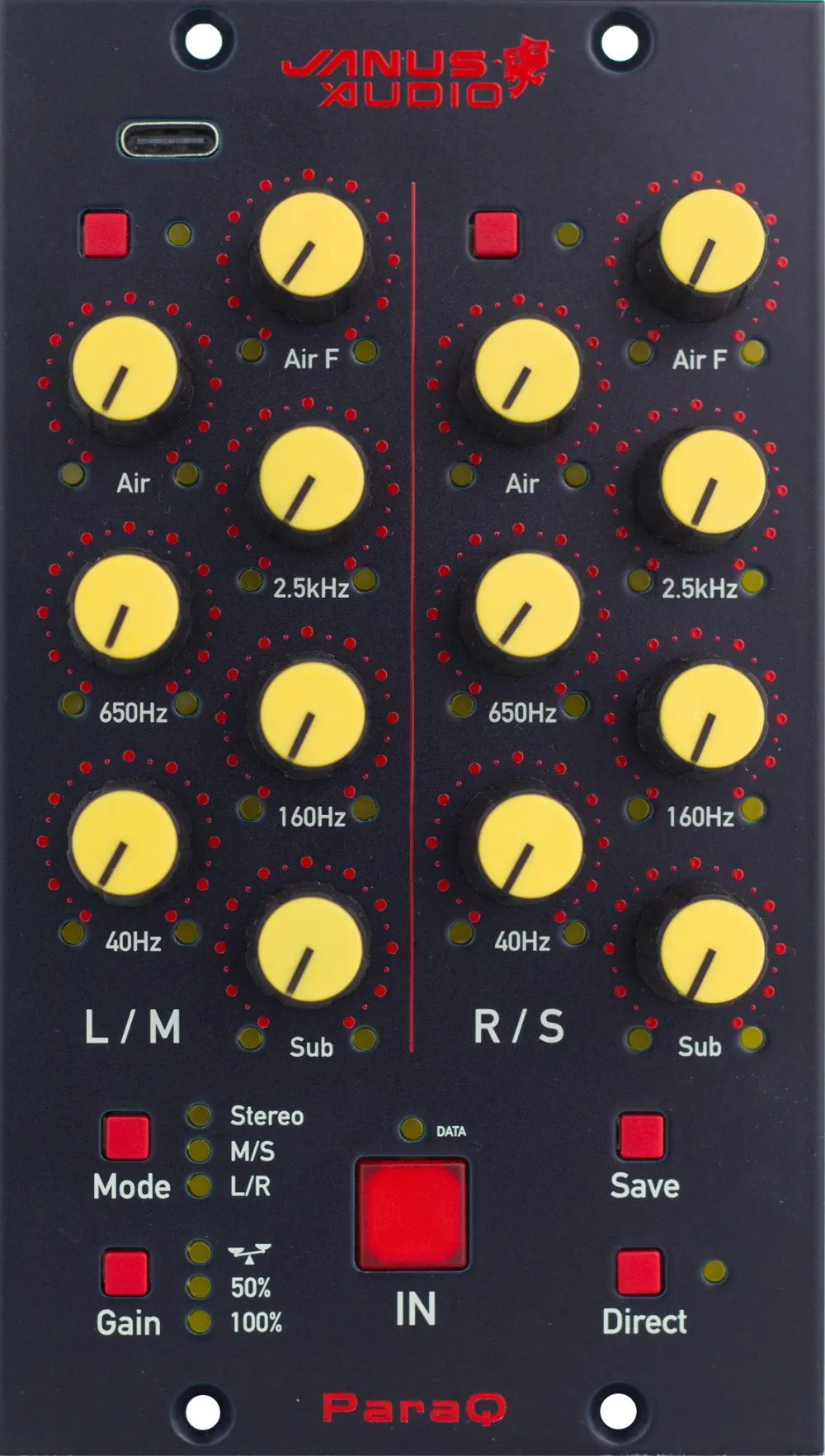
The Front Panel

Every control at a glance. Point at a number to see what it does.

ParaQ front panel with numbered highlights
  1. Two channels: L/M and R/S

    The left half of the panel controls the left (or mid) channel, the right half the right (or side) channel, depending on the mode.

  2. Air IN

    active/deactivate Air band

  3. Air shelf frequency

    Air F sets the high shelf frequency between 7kHz and 40kHz.

  4. Air shelf amplitude

    Air sets the amount of the high shelf

  5. Five musical bands

    Sub, 40 Hz, 160 Hz, 650 Hz and 2.5 kHz — wide bands from −4 dB to +14 dB.

  6. Channel Mode

    Stereo, M/S or dual mono. The LEDs show the active mode.

  7. Gain Mode

    '100%': normal +14/-4dB operateion, '50%': +7dB/-3dB operation, 'Scales': gain compensated operation: output is automatically being compensated for unity gain.

  8. IN

    Hard bypass, switches the EQ in and out.

  9. Save

    Save device settings to MIDI hosts/plugin.

  10. Direct

    What you see is what you get: operation independent of MIDI host.

Sound Examples

Dry and processed, gain compensation off.

The player comes from SoundCloud: loading it sends your IP address to SoundCloud, which may also set cookies. Privacy policy · Open on SoundCloud instead

ParaQ Plugin

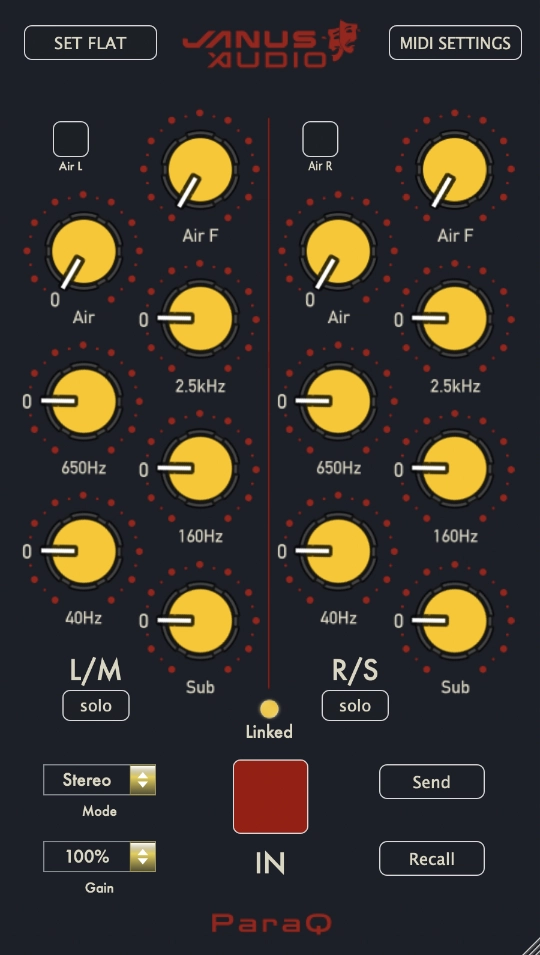
ParaQ MIDI Remote Plugin

The ParaQ MIDI Remote plugin (AU and VST) controls ParaQ from your DAW. It stores the settings in each session and can send them back to the hardware at any time, so you can recall the hardware settings for every session.

The plugin is a beta that is still being developed, and it currently runs on macOS only.

Specifications

Channels
2
Bands
5 + Air shelf per channel
Frequency Range
5 Hz – 100 kHz
Band Amplitude
-4 dB / +14 dB
Modes
Stereo / M-S / L-R
Signal Path
Fully analog
Remote Control
MIDI over USB
Format
API 500 format